Introduction
The Managers section is designed for users with administrative privileges. As a Manager, you are responsible for overseeing the entire dashboard ecosystem, including user access, data configuration, settings, basic security and the overall monitoring strategy.
Key Responsibilities
1. User Management
- Inviting new users (End Users, Supervisors, other Managers).
- Creating, managing and assigning roles and permissions.
- Restricting users to specific geographic areas.
- Viewing and monitoring visitor logs and activity.
2. Dashboard Configuration & Settings
- Managing system-wide announcements.
- Adding contextual information, managing multi-lingual translations and localizations.
- Featuring indicators that appear on the Home Page.
- Managing various types of settings such as page sizes, SMTP server details, etc.
- Publishing and unpublishing dashboard artefacts as necessary.
- Managing the dashboard color theme.
- Publishing and unpublishing various menu items as necessary.
3. Data Management
- Importing administrative hierarchies (Region -> District -> EA).
- Importing spatial maps (shapefiles)
- Managing data sources (databases).
- Generating, scheduling and distributing high-level reports.
- Monitoring for slow queries and notifying the developers for optimization.
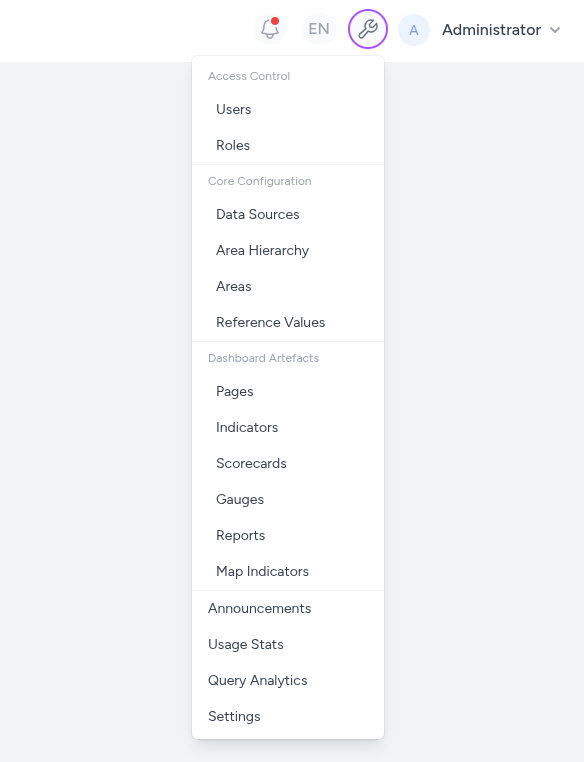
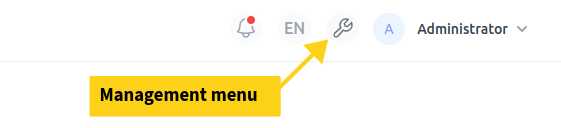
Users who are not managers will not be able to access this section. The following dropdown menu will not be visible to them. It therefore also gives a general overview of the dashboard tasks that managers perform.