Announcements
The Announcements module provides administrators with a direct communication channel to broadcast important updates, system notifications, or data insights to all or a specific group of dashboard users. This ensures that the entire user base—from field supervisors to national analysts—is informed of the latest changes or milestones in real-time.
Announcements List
The Announcements interface serves as a central log and control center for broadcast messages within the platform.
Announcements Overview
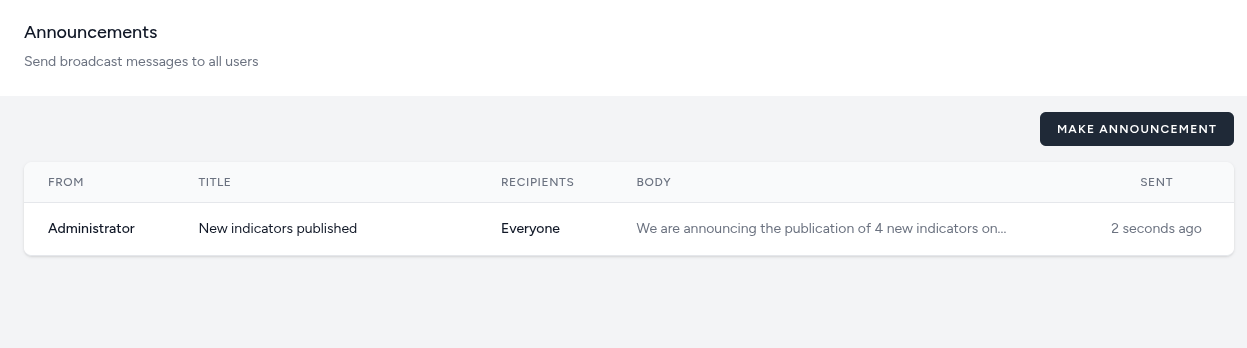
The management table displays a history of all sent communications, allowing administrators to track what was sent and when.
- From: Identifies the sender of the announcement (e.g., Administrator).
- Title: A concise subject line that summarizes the notification (e.g., "New indicators published").
- Recipients: Specifies the audience group receiving the message. Typically, this is set to Everyone for general updates or receipients can be targeted by role.
- Body: A preview of the actual message content being shared with the users.
- Sent: A timestamp indicating exactly when the message was broadcast (e.g., "2 seconds ago").
Broadcasting Messages
Administrators can initiate new communications by clicking the Make Announcement button.
-
Use Cases:
-
Notifying users when new Indicators or Map Indicators have been published.
-
Informing stakeholders of scheduled system maintenance.
-
Highlighting specific regional data trends or census completion milestones.
-
Making Announcements
The Make Announcement interface is a dedicated communication tool that allows administrators to send real-time broadcast messages to specific user groups or the entire platform. This is primarily used for system updates, data release notifications, or urgent operational alerts.
Announcement Configuration
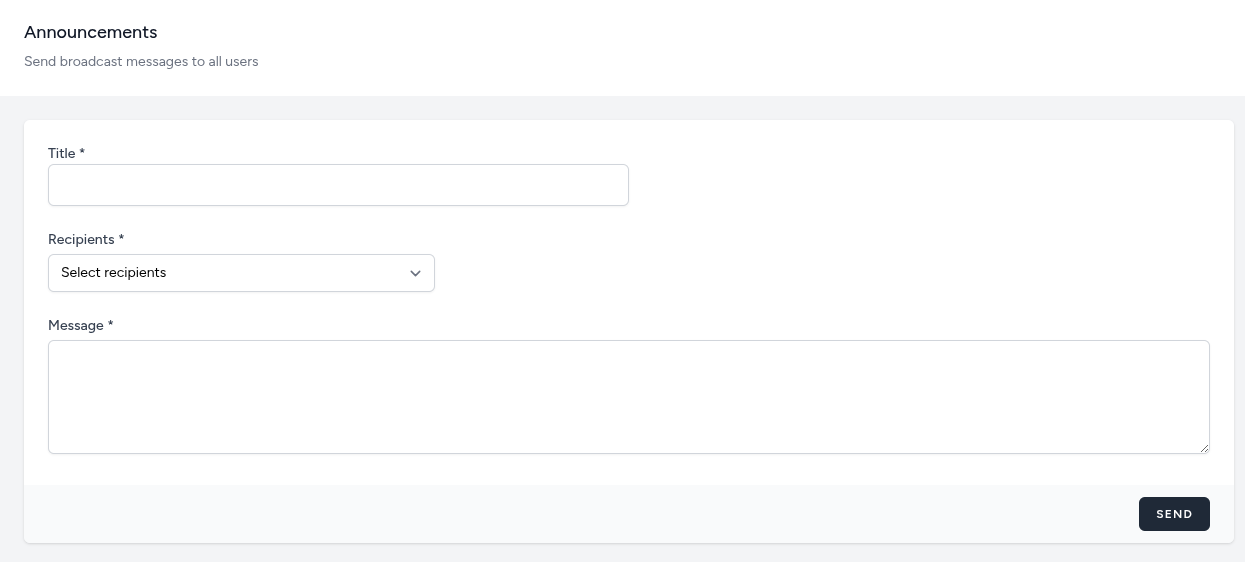
To send a broadcast, the following fields must be completed:
-
Title: Enter a clear, concise subject line for the notification. This is the first text users will see (e.g., "Scheduled Maintenance" or "Q3 Data Now Available").
-
Recipients: A dropdown menu used to define the target audience for the message.
- Common Scope: Administrators typically select Everyone to ensure all active users receive the update. Or they can target users based on the roles they are assigned.
-
Message: The main text area where the body of the announcement is composed. This field should contain the detailed information or instructions you wish to share with stakeholders.
Sending and Visibility
-
Send Action: Clicking the Send button immediately broadcasts the message.
-
Broadcast History: Once sent, the message is logged in the main Announcements management table, showing the sender's identity, the recipient group, and a "time ago" timestamp (e.g., "2 seconds ago").