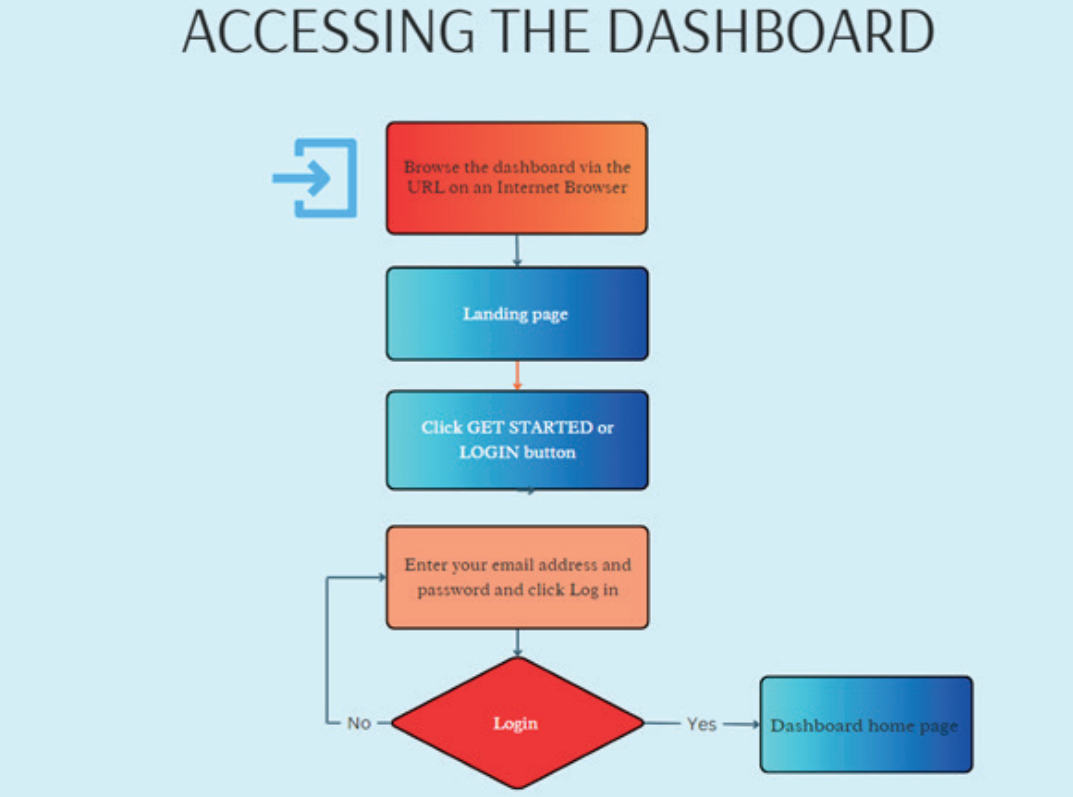
How to access the dashboard
The Performance Management Dashboard System is an internal web-based application that requires login credentials and is accessible through any web browser.
For security, each user is required to log in using a username and password.
The Dashbaord is accessible only through invitations.
- When you are invited, you will receive an email invitation from the dashboard manager to register to the system.
- The email will guide you to register by entering your personal details and creating a password.
- Once you complete the registration and agree to the terms of use, you will be able to start using the Performance Dashboard System.
STEP 1
- Once registered, type of copythe URL of the dashboard into your browser. This will direct you to the main landing page of the application, as showen below.
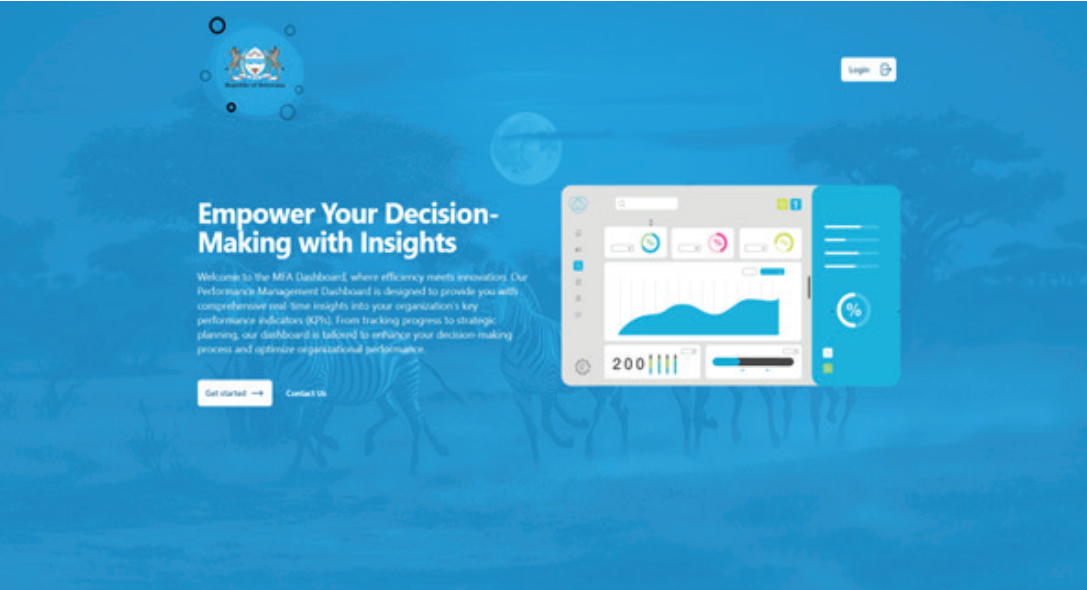
STEP 2
- To login, please click on either the
LoginorGet Startedbuttons displayed on the above-mentioned landing page. This action will lead you to a new screen where you’ll be prompted to enter your login credentials.

STEP 3
- Enter your username and password in the designated fields to log into the system. Upon successful login, you will be directed to the page depicted below.
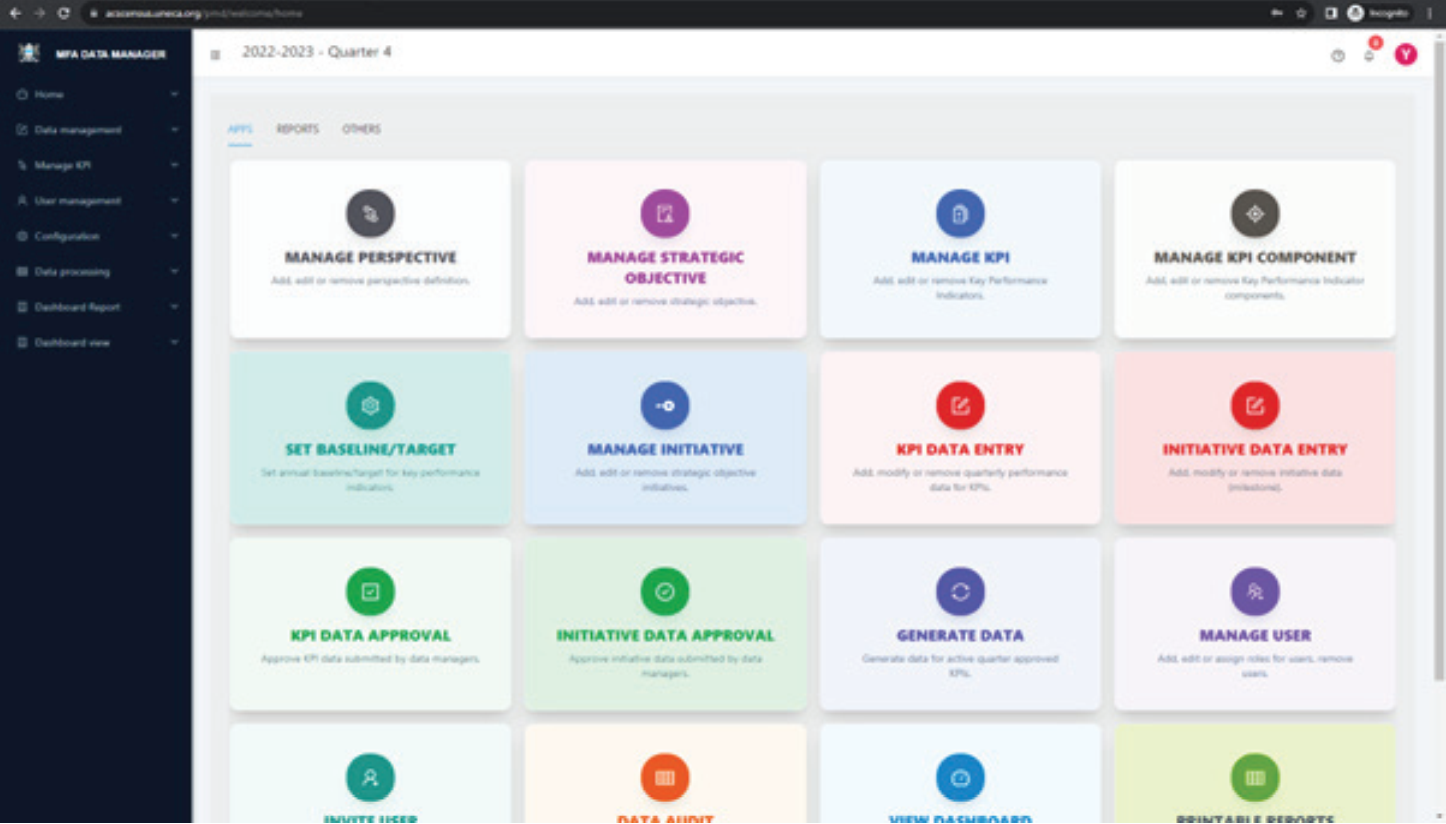
The home page of the dashboard presents a list of applications, each aligned with the user’s assigned permissions.
-
Users with the
Dashboard Usersrole, for example, have access limited to functions likeView DashboardandPrintable Reports. -
Those assigned the
Data Managerrole will find options primarily focused on data entry. -
Users in the
Data Approverrole will find options focusing on validation and approval submitted by data managers. -
Users assigned the
Data Approverrole will find options specifically centred on validating and approving data submitted byData Managers. -
Users in the
Dashboard ManagerandSystem Managerrole have the privilege to view all available options.
This structured segmentation is intentionally designed to guide users to the specific functions relevant to their role, ensuring efficient use of the system while minimizing unnecessary exposure to its broader functionalities.